Making Your Xbox One Controller Work on Win 10
Making Your Xbox One Controller Work on Win 10
I used to post this kind of stuff on my personal blog, but now that I don’t have one, and I don’t really have any more appropriate venue than this, I’ll simply slap this here.
If you’re like me, and you’re gaming with an Xbox One controller on a Win 10 machine (e.g., an HTPC), you may have noticed that some games on Steam and elsewhere simply do not work well: the controls are non-functional or, in some cases, the game seems to play itself.
If you’re having these issues, here’s a really quick fix.
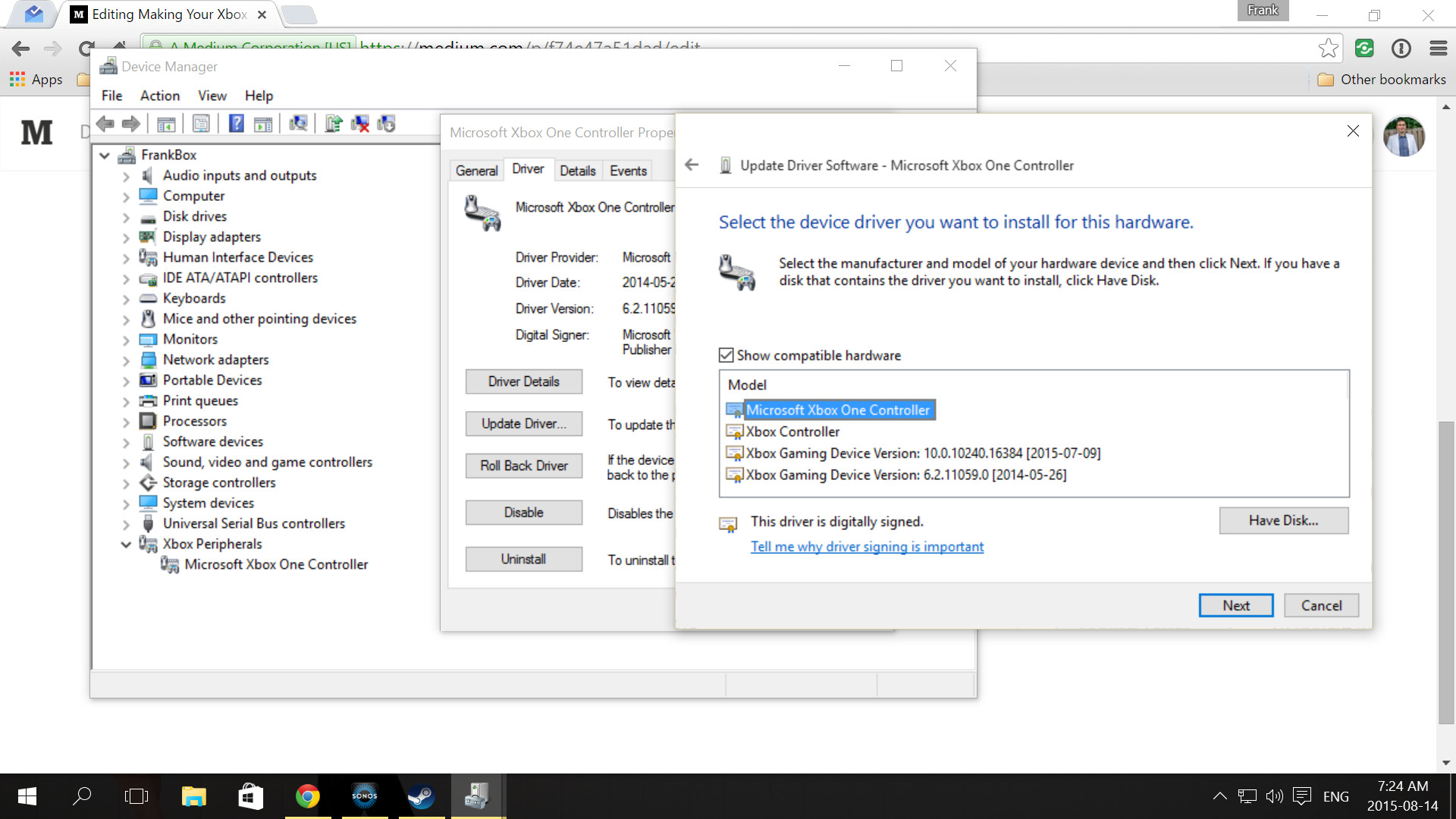
With the controller plugged in, go to your Device Manager.
At the end of the categories list, you’ll see “Xbox Peripherals”. Expand the category and you’ll see your “Xbox Controller”. Right-click this item and click “Update Driver Software”, then “Browser for a driver”, and finally “Pick from a list of drivers on my computer”.
You should see four listed:
- Microsoft Xbox One Controller
- Xbox Controller
- Xbox Gaming Device Version 10.x
- Xbox Gaming Device Version 6.2.x
Select “Microsoft Xbox One Controller”, hit “Next”, and you’re all set.
Not really sure why Microsoft didn’t make that the default on Win 10 upon connecting an Xbox One controller, and it’ll probably be fixed when they launch the official wireless Xbone adapter, but here we are.